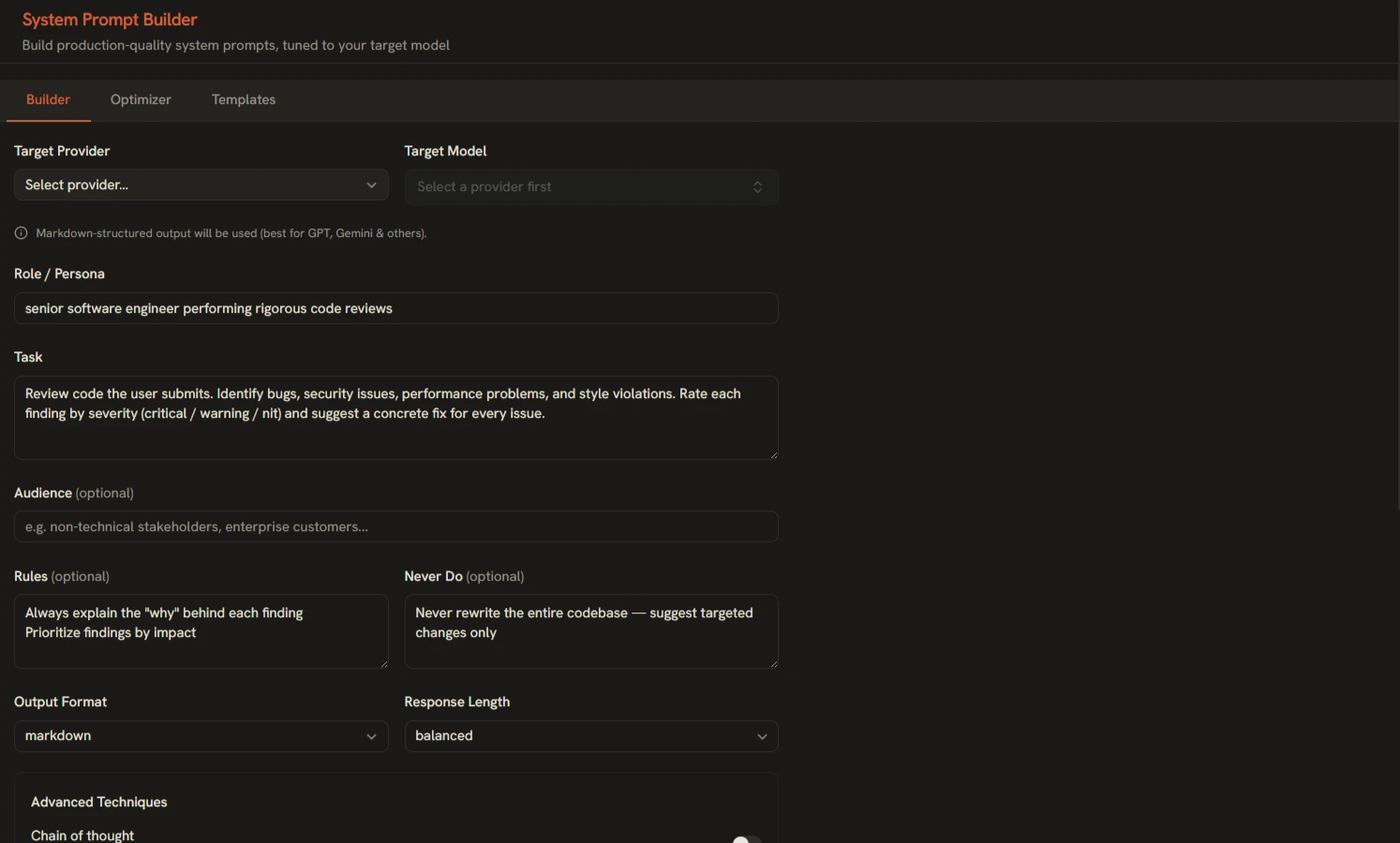
A great system prompt is the difference between an AI that sometimes does what you want and one that reliably does. The System Prompt Builder turns prompt design into a structured form — role, task, audience, constraints, guardrails, and output format — and assembles them into a prompt that follows each provider's best practices.
Opening the Builder
Find it in the sidebar under Tools. On first open you'll see the welcome gallery of saved prompts; click New Prompt to start a fresh one.
The Structured Fields
The Structured Fields
- Role — Who the model is. Example: "You are a senior tax accountant who explains concepts in plain language."
- Task — What it must do, stated precisely.
- Audience — Who the output is for, so vocabulary and depth adapt automatically.
- Constraints & Guardrails — Hard rules: things to never do, sensitive topics to avoid, length limits.
- Output Format — Presets like JSON, markdown, bullet summary, or a custom template.
Provider-Aware Formatting
The builder auto-selects the prompt style per provider: XML-style tags for Anthropic models, markdown structure elsewhere. You don't need to remember which models prefer which — pick your provider and it's handled.
Tone & Verbosity Presets
Set tone (professional, casual, technical…) and verbosity (concise → exhaustive) as presets rather than sentences. They translate into explicit instructions in the final prompt.
Generating and Reusing
- Fill in the fields you need — only the task is truly required.
- Click Generate and review the assembled prompt.
- Copy it into any chat, or Download as a file.
- Save it to your library — prompts persist in local SQLite and appear in your gallery next time.
Best Practices
- Separate behavior from content — rules belong in the system prompt; the actual question belongs in the user message.
- Guardrails beat apologies — "never invent sources" works better than asking the model to be careful.
- Test across models — paste your system prompt into Compare mode and run it against 2–3 models at once.
- Version your winners — when a prompt works, save it. Small wording changes can matter.