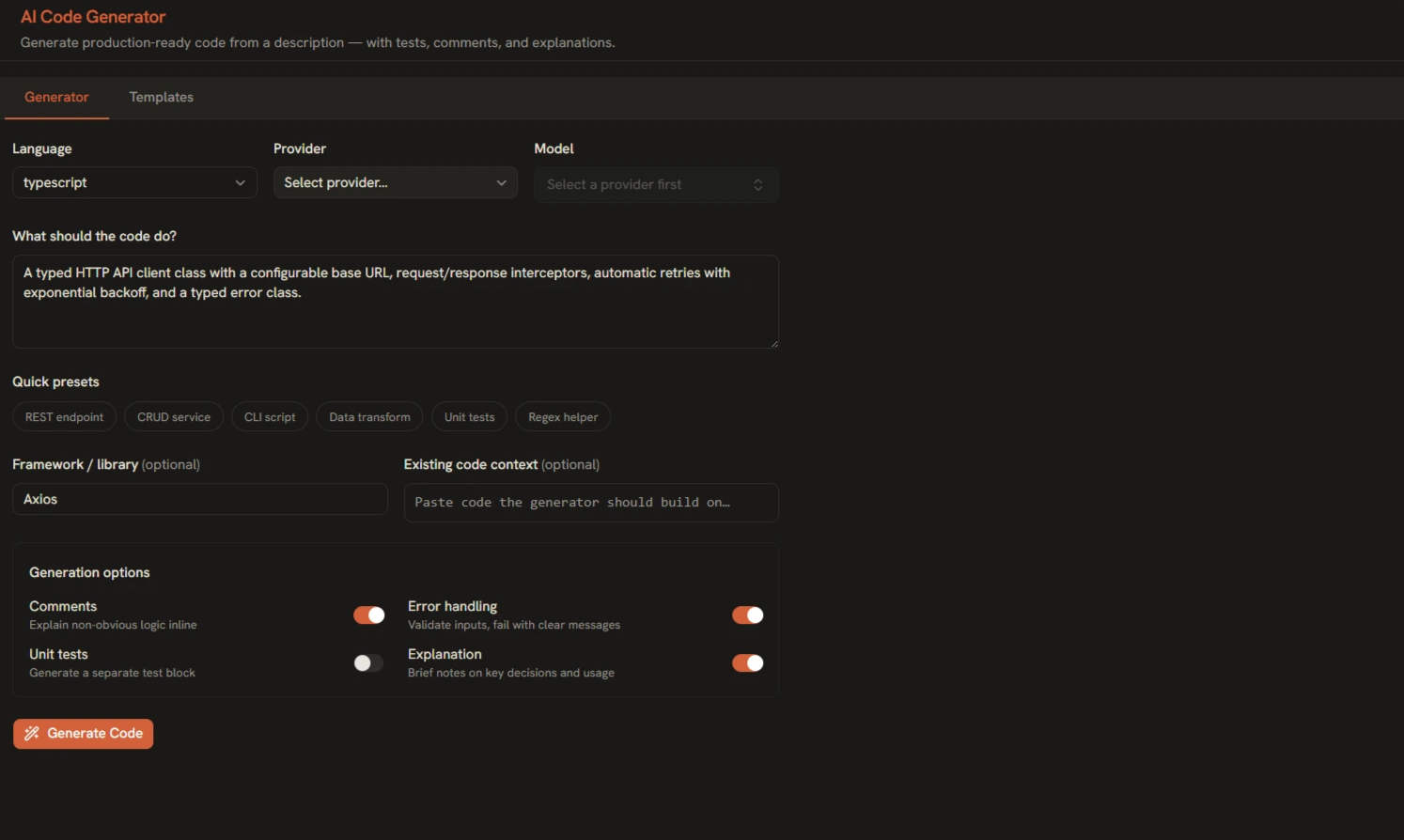
The AI Code Generator is built for the way developers actually scaffold: describe the component, script, or function you need, pick a language, and get clean starter code — not a wall of chat text. Every generation includes a formatted explanation block underneath, so you understand the why, not just the what.
Generating Your First Snippet
- Open Tools → AI Code Generator from the sidebar.
- Pick a language — 20+ are supported, from Python, TypeScript, and Go to Rust, SQL, and Bash.
- Describe what you need in plain language: "a FastAPI endpoint that uploads an image to S3 with size validation."
- Click Generate and the code streams in with syntax highlighting.
Starting from Templates
Every supported language ships with sample templates you can load and edit — a faster starting point than a blank prompt when you need something conventional like a REST handler, a CLI argument parser, or a class skeleton.
The Explanation Block
Under every generation you'll find a properly formatted explanation — not a code comment dump. It covers the approach, key decisions, and anything you should adapt before shipping. Read it before you paste; it usually flags edge cases worth handling.
Copy, Download, Save
- Copy — inline button with a "Copied ✓" confirmation right where you clicked.
- Download — save the snippet as a correctly-extensioned file.
- Save to Library — keep it in your local SQLite library with your other prompts and generations.
Best Practices
- Name your stack — mention the framework and version ("Express 5," "Python 3.12") for idiomatic output.
- State the contract — describe inputs, outputs, and error behavior explicitly.
- Iterate in the same doc — ask for modifications rather than regenerating from scratch, so context carries over.
- Review before running — treat output as a strong starting draft, not reviewed code.