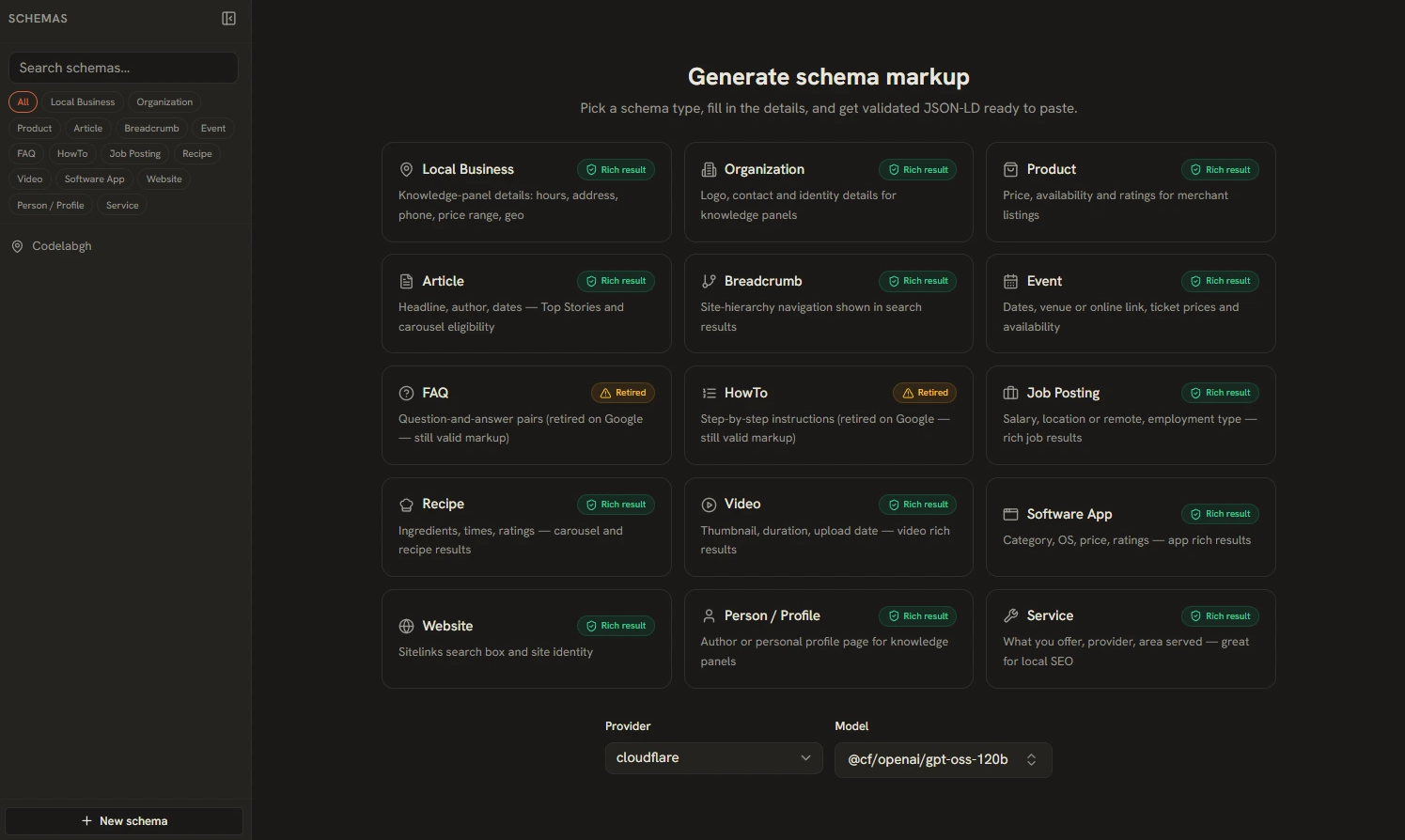
Structured data is how you earn rich results in search — star ratings, breadcrumbs, event dates, recipe cards. But JSON-LD is unforgiving: one wrong field and Google silently ignores it. The SEO Schema Generator handles the format, validation, and escaping for you.
15 Schema Types
The generator covers: Local Business, Organization, Product, Article, Breadcrumb, Event, Job Posting, Recipe, Video, Software App, Website, Person/Profile, and Service — each researched against Google's current rich-results spec.
AI-Assisted Field Fill
- Pick a schema type (e.g. Local Business).
- Describe your business in plain language: "family-run HVAC repair in Accra, open weekdays 8–5, emergency callouts on weekends."
- The AI drafts every field — name, address format, opening hours, service list.
- You correct what's off. The machine drafts; you verify.
Two-Layer Validation
Before you copy anything, the tool checks your markup in two passes:
- Field-level checks — per-field format validation: URLs look like URLs, dates parse, phone numbers are sane.
- Structural checks — per-type rules from Google's rich-results requirements: required properties present, recommended ones flagged.
Smart Parsing
Messy input is expected, not an error. Breadcrumbs from a URL path, FAQ question/answer lines, opening hours written four different ways, and social profile lists (multi-line, forgiving separators) all get parsed into clean structured fields.
Getting the Markup Onto Your Site
- Copy — grab the JSON-LD and paste it into your page's
<head>. - Download .html — get a ready-to-use HTML snippet with the
<script type="application/ld+json">block included. - Save to Library — keep schema docs in local SQLite for reuse across pages and clients.
After publishing, run your URL through Google's Rich Results Test to confirm the live page parses as expected.